> For the complete documentation index, see [llms.txt](https://ajuda.pdvlegal.com.br/llms.txt). Markdown versions of documentation pages are available by appending `.md` to page URLs; this page is available as [Markdown](https://ajuda.pdvlegal.com.br/integracoes/autoatendimento-food-tokmenu/tela-de-descanso-do-autoatendimento-food-tokmenu.md).
# Tela de descanso do Autoatendimento Food (TokMenu)
Como hospedar imagens no Google Drive?
Siga o passo a passo abaixo usando o Google Drive:
1. **Faça o upload:** Suba até 3 imagens (formato `.jpg` ou `.png`) para a sua conta do Google Drive.
2. **Compartilhe a imagem:** Clique com o botão direito sobre o arquivo da imagem e selecione **Compartilhar** > **Compartilhar**.
3. **Torne o link público:** Na janela que abrir, em **Acesso geral**, altere a permissão de "Restrito" para **Qualquer pessoa com o link**.
4. **Copie o link:** Clique em **Copiar link**. O link copiado terá um formato parecido com este: `https://drive.google.com/file/d/ID_GIGANTE_DO_ARQUIVO/view?usp=sharing`
5. **Converta o link para uso direto:** O link original do Google Drive não funciona. Você precisa modificá-lo.
* Pegue apenas o **ID do arquivo** do link que você copiou. É a longa sequência de letras e números entre `d/` e `/view`.
* Use este modelo para criar o novo link: `https://drive.google.com/uc?export=view&id=ID_DO_ARQUIVO`
{% hint style="success" %}
**Exemplo:** Se o seu ID for `1a2b3c4d5e6f7g8h9i0j`, o link final que você deverá usar será: `https://drive.google.com/uc?export=view&id=1a2b3c4d5e6f7g8h9i0j` Repita o processo para cada imagem que desejar usar.
{% endhint %}
{% stepper %}
{% step %}
### **Prepare as imagens**:
* Hospede as imagens em serviços de nuvem (formato `.jpg` ou `.png`).
{% hint style="info" %}
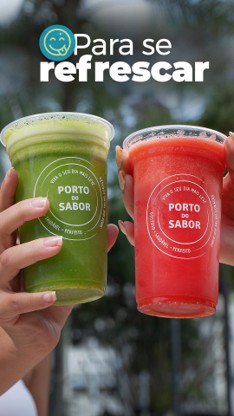
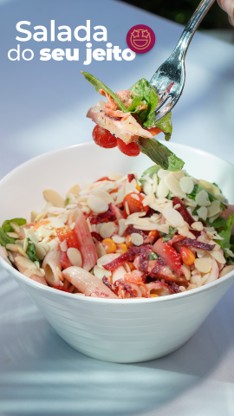
Tela de Descanso: Até 3 banners rotativos 1080 x 1920 (larg x alt)
Formato: jpg / png / gif
{% endhint %}
{% hint style="info" %}
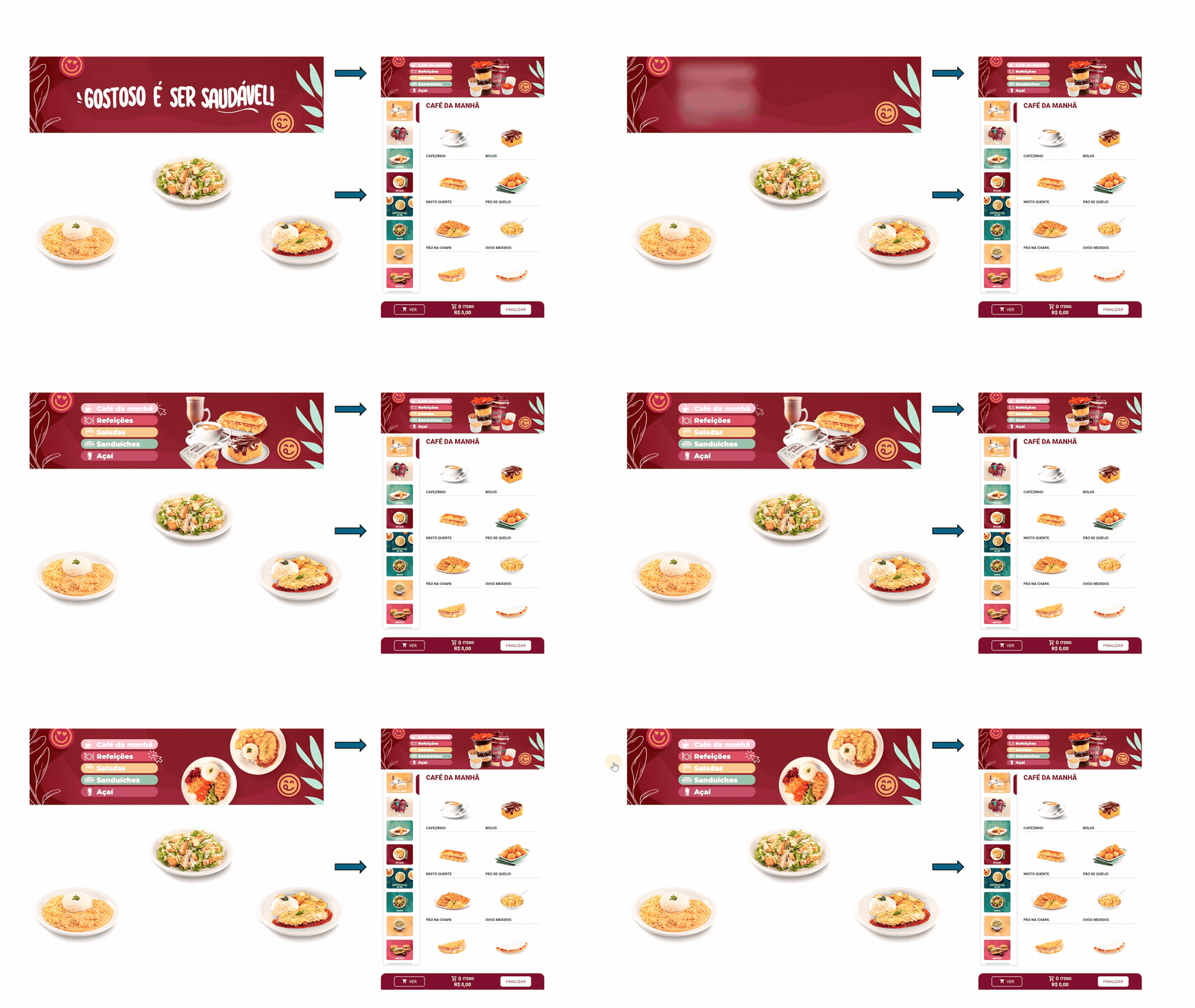
Banner Home: Um banner 1080 x 280 (larg x alt)
Formato: jpg / png / gif
{% endhint %}
{% hint style="info" %}
Imagem Produtos: 380 x 250 (larg x alt) com fundo branco ou transparente
Formato: jpg / png / gif
{% endhint %}
{% endstep %}
{% step %}
### **Configure no Autoatendimento**:
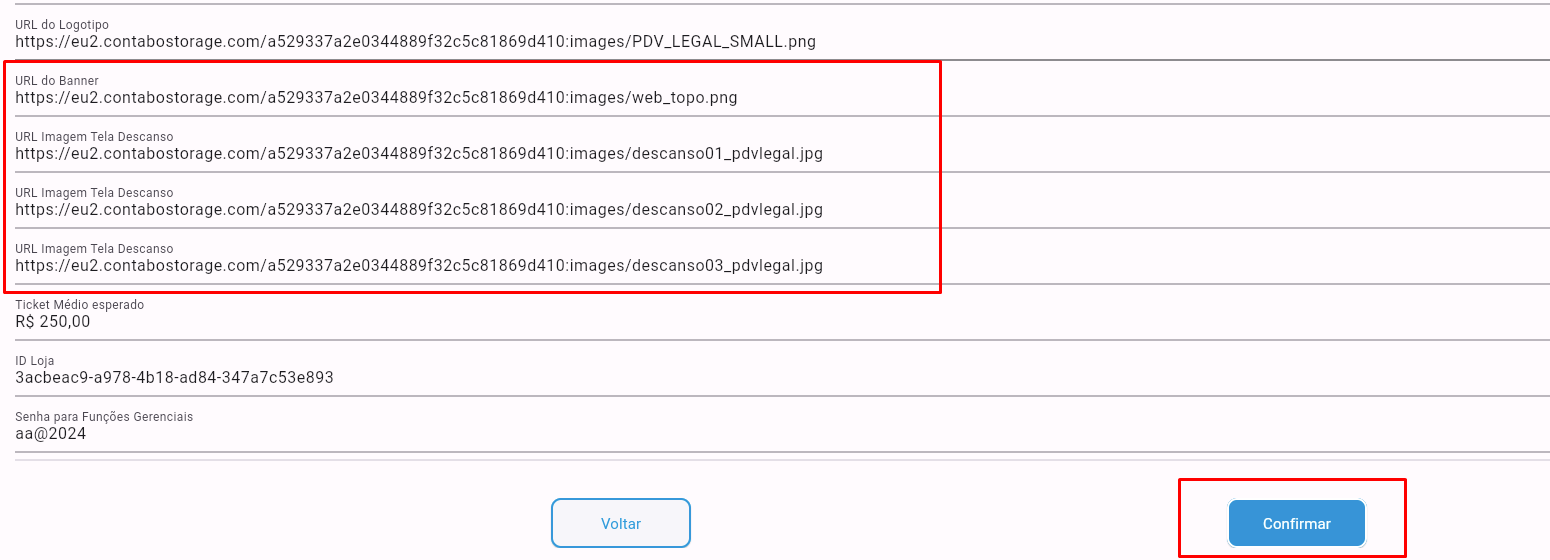
* Acesse **Configurações** na retaguarda do Autoatendimento Food.
* Insira os links das imagens nos campos *Link 1*, *Link 2*, *Link 3*.
* Clique em **Confirmar**.
{% endstep %}
{% endstepper %}
### Tópicos relacionados
Use estes links para completar a configuração do Autoatendimento Food:
* [O que é o Autoatendimento Food?](/integracoes/autoatendimento-food-tokmenu.md)
* [Ativação de módulos](/integracoes/autoatendimento-food-tokmenu/ativacao-de-modulos-no-autoatendimento-food-tokmenu.md)
* [Produtos e modificadores no Autoatendimento Food](/integracoes/autoatendimento-food-tokmenu/produtos-e-modificadores-no-autoatendimento-food-tokmenu.md)
* [Sugestão de produtos no Autoatendimento Food](/integracoes/autoatendimento-food-tokmenu/sugestao-de-produtos-no-autoatendimento-food-tokmenu.md)
* [Combos e subprodutos no Autoatendimento Food](/integracoes/autoatendimento-food-tokmenu/combos-e-subprodutos-no-autoatendimento-food-tokmenu.md)
* [Formas de pagamento no Autoatendimento Food](/integracoes/autoatendimento-food-tokmenu/formas-de-pagamento-no-autoatendimento-food-tokmenu.md)
* [Ativar emissão de NFC-e no Autoatendimento Cloud](/integracoes/autoatendimento-food-tokmenu/ativar-emissao-de-nfc-e-no-autoatendimento-food-tokmenu.md)
* [Instalação de Totem, KDS e PINPAD](/integracoes/autoatendimento-food-tokmenu/instalacao-de-totem-kds-e-pinpad-autoatendimento-food-tokmenu.md)
* [Configuração de KDS](/integracoes/autoatendimento-food-tokmenu/configuracao-de-kds-autoatendimento-food-tokmenu.md)
* [Integração com Fidelidade Legal no Autoatendimento Food](/integracoes/autoatendimento-food-tokmenu/integracao-com-fidelidade-legal-no-autoatendimento-food-tokmenu.md)
* [Requisitos Mínimos e Recomendados](/equipamentos/requisitos-minimos-e-recomendados.md)
***
---
# Agent Instructions
This documentation is published with GitBook. GitBook is the documentation platform designed so that both humans and AI agents can read, navigate, and reason over technical content effectively. Learn more at gitbook.com.
## Querying This Documentation
If you need additional information that is not directly available in this page, you can query the documentation by asking a question.
Perform an HTTP GET request on the following URL with the `ask` and `goal` query parameters:
```
GET https://ajuda.pdvlegal.com.br/integracoes/autoatendimento-food-tokmenu/tela-de-descanso-do-autoatendimento-food-tokmenu.md?ask=&goal=
```
`ask` is the immediate question: it should be specific, self-contained, and written in natural language.
`goal` is what the user is ultimately trying to achieve, the reason they need the answer. Sharing it helps GitBook give you a better, more relevant answer. A goal is most helpful when it describes the outcome the user wants rather than restating the question. For example, with `ask=how do I create an API token`, a goal like `automate deployments from our CI pipeline` lets GitBook tailor the answer to that use case.
The response will contain a direct answer to the question and relevant excerpts and sources from the documentation.
Use this mechanism when the answer is not explicitly present in the current page, you need clarification or additional context, or you want to retrieve related documentation sections.