> For the complete documentation index, see [llms.txt](https://ajuda.pdvlegal.com.br/llms.txt). Markdown versions of documentation pages are available by appending `.md` to page URLs; this page is available as [Markdown](https://ajuda.pdvlegal.com.br/oem/materiais-oem/comunicados-para-a-base-de-clientes-no-oem.md).
# Comunicados para a base de clientes no OEM
Orienta no gerenciamento de comunicados no OEM, permitindo comunicação eficaz com clientes, melhora na gestão e personalização de mensagens.
{% hint style="danger" %}
Conteúdo exclusivo para canais autorizados.
{% endhint %}
Use esta página para emitir e gerenciar comunicados no OEM.
{% stepper %}
{% step %}
### Acesse os comunicados oficiais
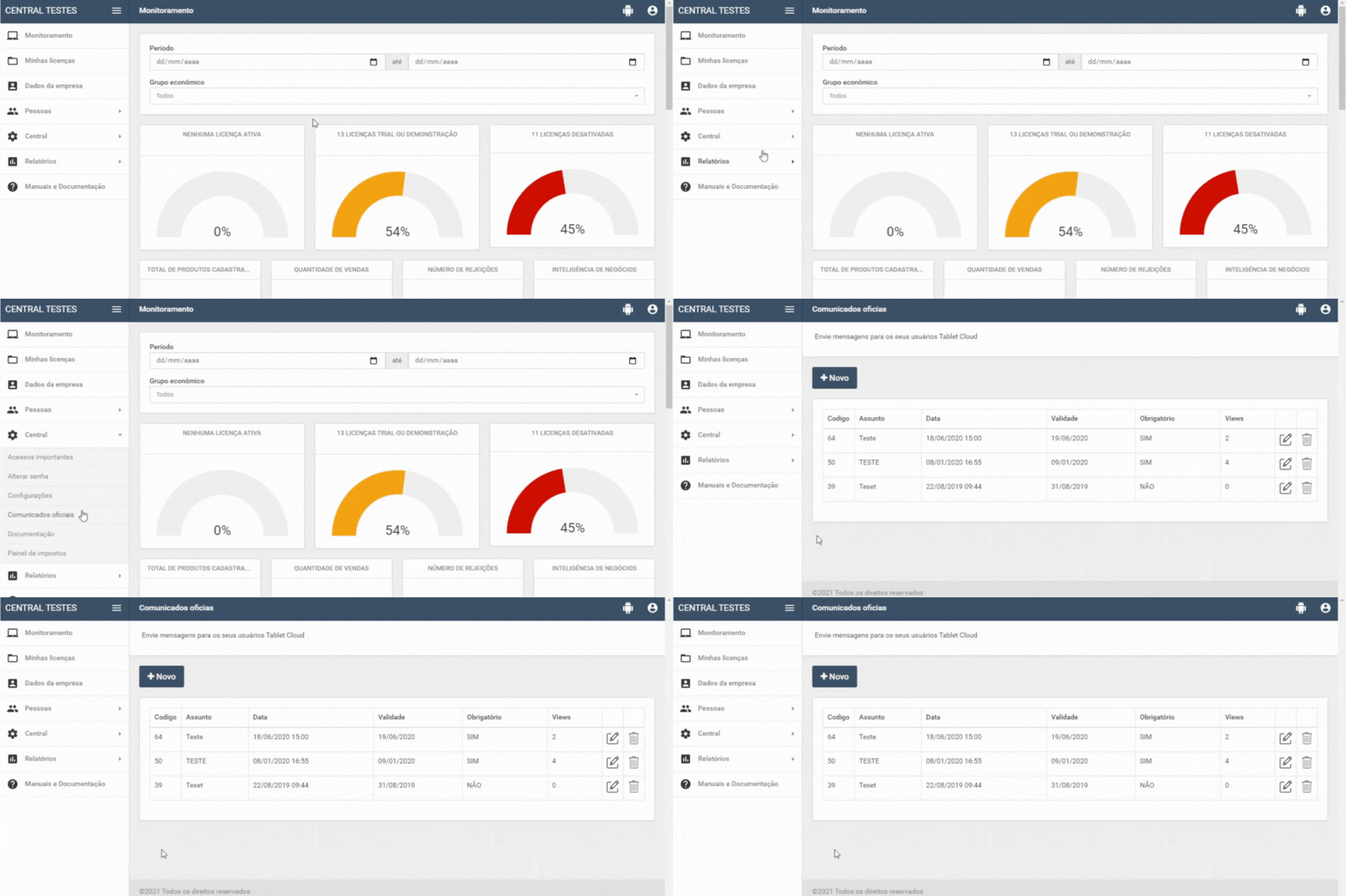
* Para emitir ou gerenciar comunicados, acesse **Central > Comunicados Oficiais**.
* Se você já emitiu comunicados anteriormente, eles serão listados nesta tela.
{% endstep %}
{% step %}
### Visualize os comunicados existentes
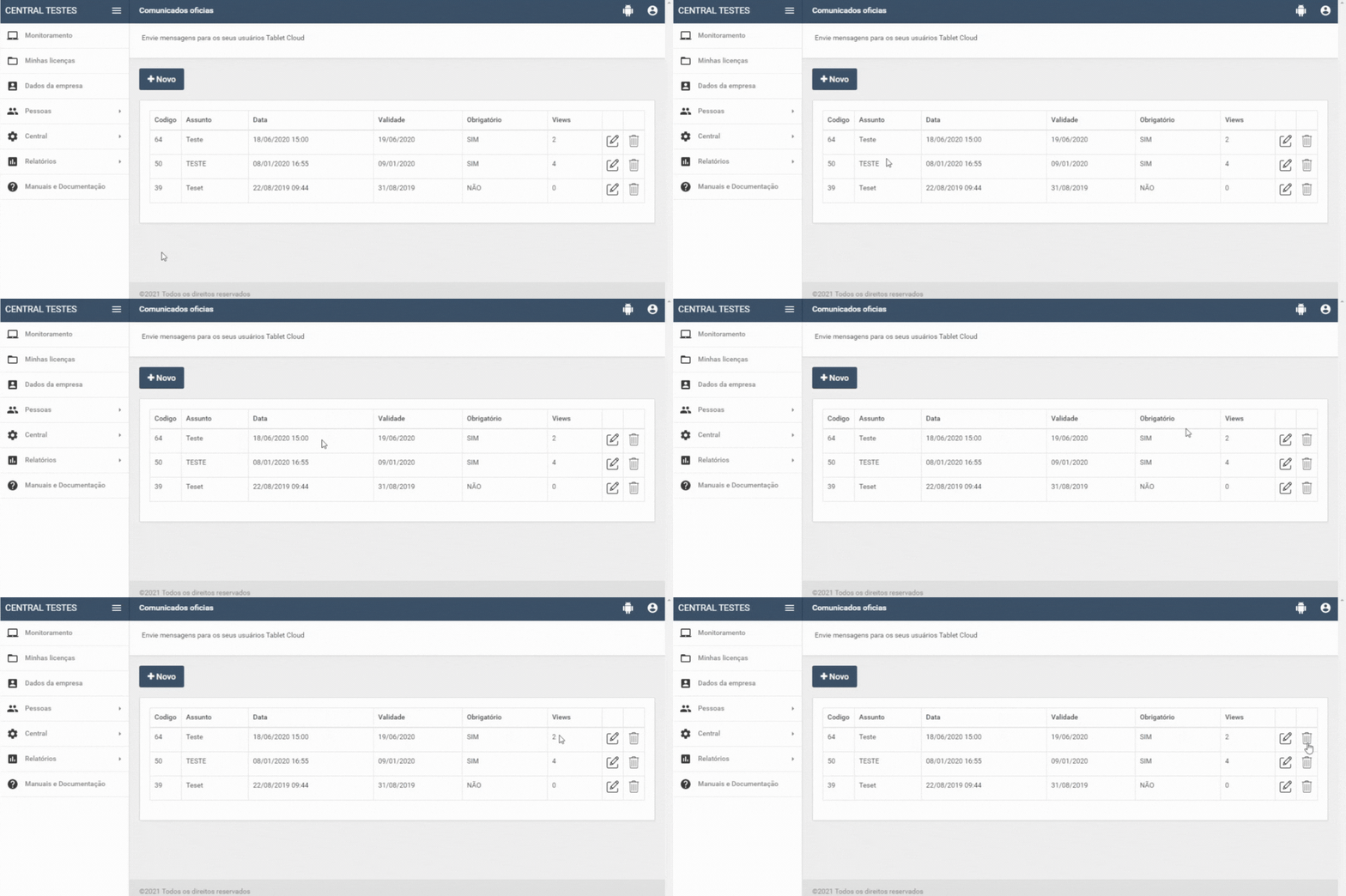
Na tela de Comunicados Oficiais, você pode verificar as seguintes informações para cada comunicado:
* **Código do Comunicado:** Identificador único do comunicado.
* **Assunto:** O tema principal do comunicado.
* **Data da Publicação:** Quando o comunicado foi publicado.
* **Validade:** Período durante o qual o comunicado é válido.
* **Obrigatório:** Indica se a leitura do comunicado é obrigatória.
* **Visualizações:** Número de vezes que o comunicado foi visualizado.
* Você também tem as opções de **Editar** ou **Excluir** comunicados existentes.
{% endstep %}
{% step %}
### Crie um novo comunicado
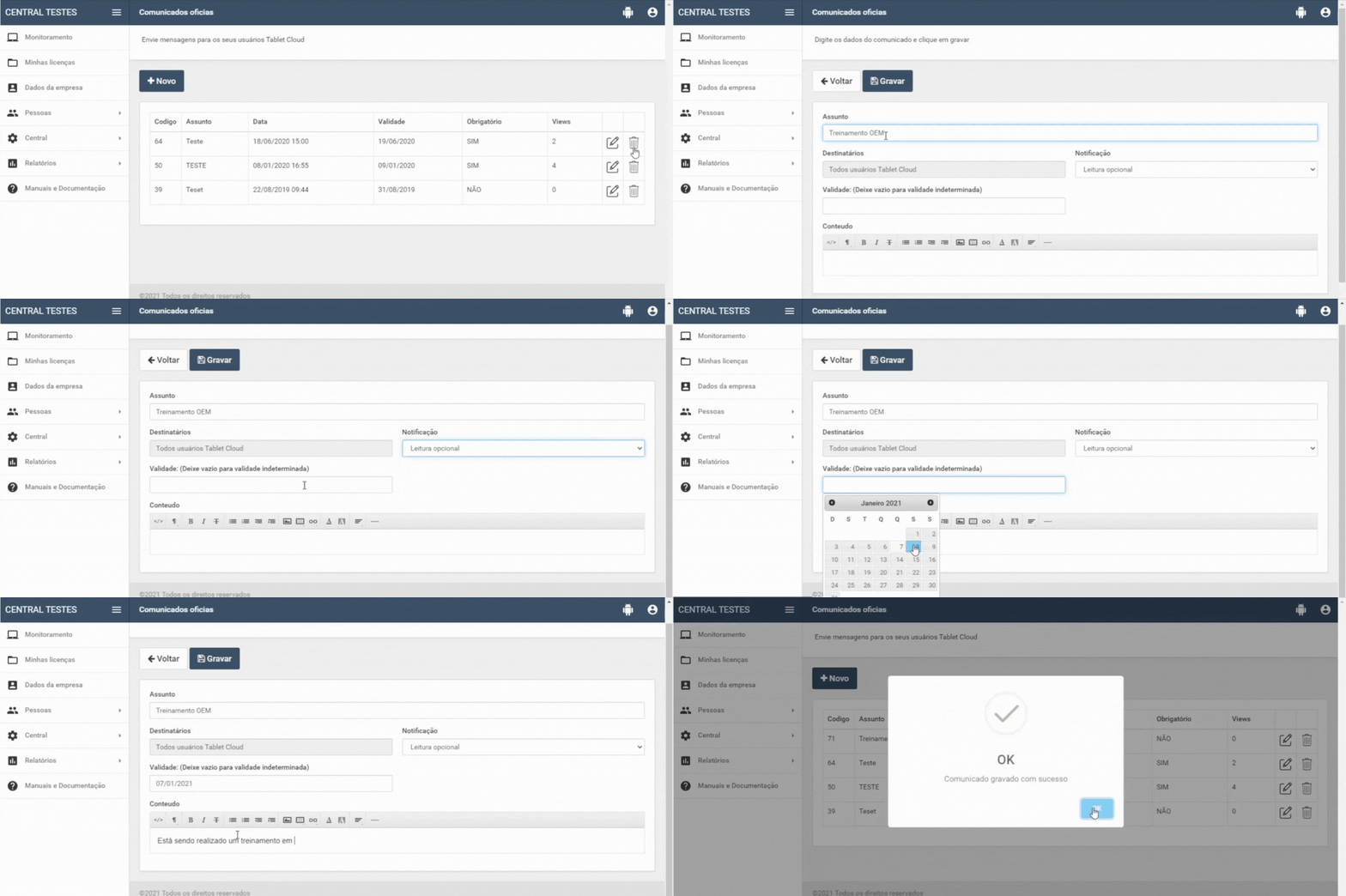
* Para criar um novo comunicado, clique em **Novo**.
* Preencha os seguintes campos:
* **Assunto:** Defina o título do seu comunicado.
* **Destinatários:** Configure para quem o comunicado será enviado.
* **Tipo de Notificação:** Escolha o tipo de notificação.
* **Validade:** Estabeleça o período de validade do comunicado.
* **Conteúdo do Comunicado:** Escreva a mensagem do seu comunicado.
* Após preencher todas as informações, clique em **Gravar**.
* O comunicado passará a ser exibido para todos os clientes, seguindo os parâmetros que você estabeleceu.
{% endstep %}
{% endstepper %}
---
# Agent Instructions
This documentation is published with GitBook. GitBook is the documentation platform designed so that both humans and AI agents can read, navigate, and reason over technical content effectively. Learn more at gitbook.com.
## Querying This Documentation
If you need additional information that is not directly available in this page, you can query the documentation by asking a question.
Perform an HTTP GET request on the following URL with the `ask` and `goal` query parameters:
```
GET https://ajuda.pdvlegal.com.br/oem/materiais-oem/comunicados-para-a-base-de-clientes-no-oem.md?ask=&goal=
```
`ask` is the immediate question: it should be specific, self-contained, and written in natural language.
`goal` is what the user is ultimately trying to achieve, the reason they need the answer. Sharing it helps GitBook give you a better, more relevant answer. A goal is most helpful when it describes the outcome the user wants rather than restating the question. For example, with `ask=how do I create an API token`, a goal like `automate deployments from our CI pipeline` lets GitBook tailor the answer to that use case.
The response will contain a direct answer to the question and relevant excerpts and sources from the documentation.
Use this mechanism when the answer is not explicitly present in the current page, you need clarification or additional context, or you want to retrieve related documentation sections.