> For the complete documentation index, see [llms.txt](https://ajuda.pdvlegal.com.br/llms.txt). Markdown versions of documentation pages are available by appending `.md` to page URLs; this page is available as [Markdown](https://ajuda.pdvlegal.com.br/pdv/instalacao-do-pdv-legal/instalacao-do-pdv-legal-em-terminais-com-m-sitef.md).
# Instalação do PDV Legal em terminais com M-SITEF
Instale e configure o PDV Legal em terminais Android com M-SITEF.
{% hint style="danger" %}
**Pré-requisitos:**
* Contrato com **Gertec** para uso do M-SITEF.
* **QR Code específico** da M-SITEF (abra um chamado ao nosso time de suporte através do Formulário: Reportar Erro/Bug > Serviço > PDV > Pin Gertec)
{% endhint %}
{% hint style="warning" %}
Caso a adquirente utilizada **não seja a Stone**, siga o processo de configuração do **M-SITEF**, disponível no [**manual M-SITEF**](/integracoes/m-sitef.md).
{% endhint %}
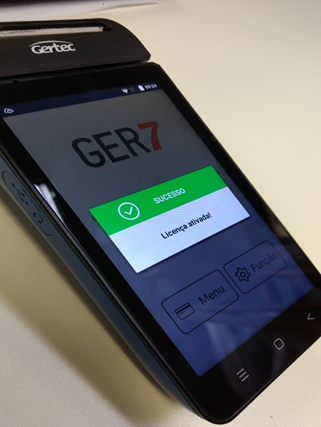
Use este manual para instalar o PDV Legal, configurar a impressora interna, ajustar o SDK Ger7 e habilitar o TEF no Cloud.
Atualmente, este fluxo atende os modelos homologados **GPOS700**, **GPOS760**, **GPOS780**, **GPOS700X** e **GPOS800**.
### Instalar o PDV
{% stepper %}
{% step %}
#### **Baixe o PDV via Gertec Box:**
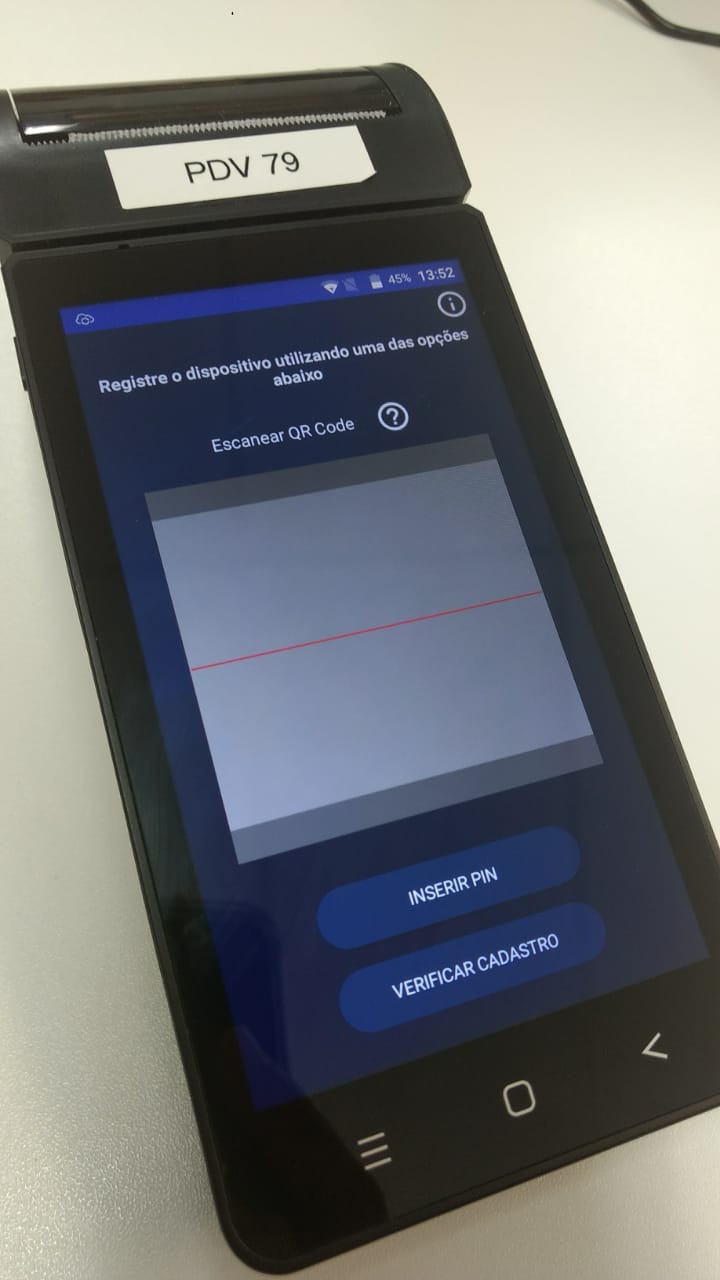
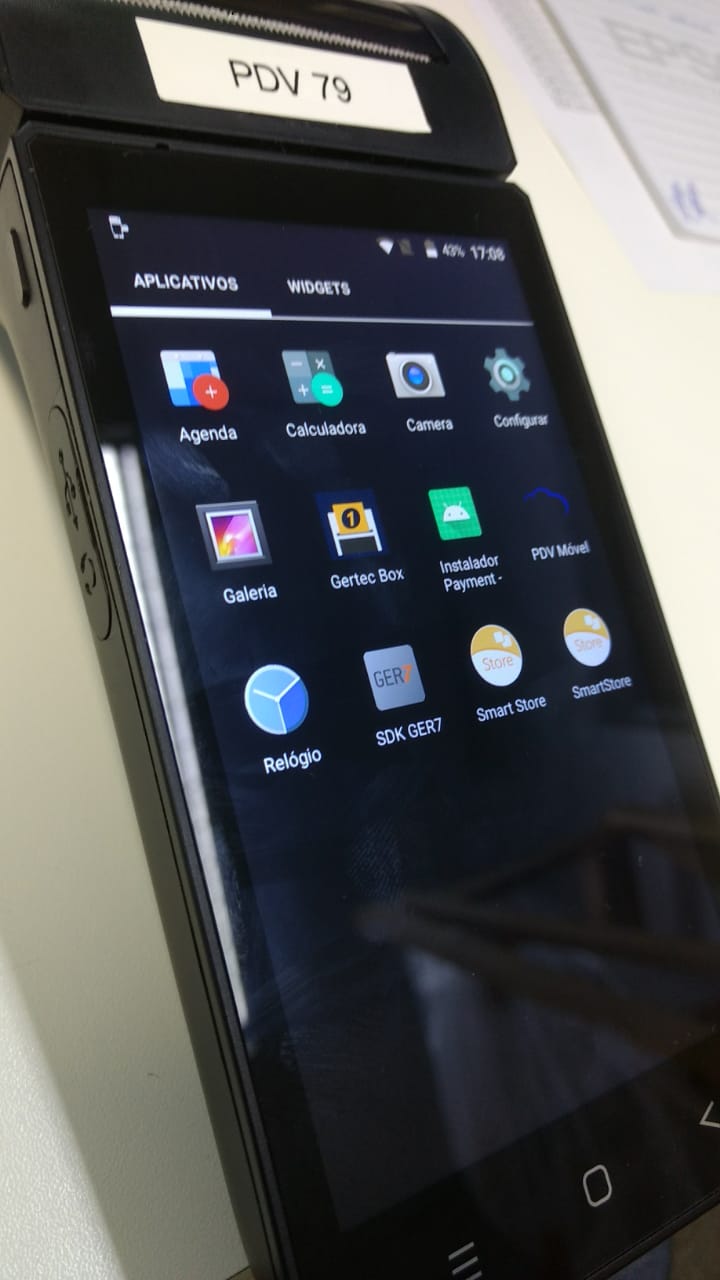
* Ligue o equipamento > Abra o app **Gertec Box**.
* Leia o **QR Code** fornecido pelo suporte ou insira o código manualmente.
* Aguarde o download do PDV e do **SDK Ger7** (necessário para pagamentos com cartão).
{% endstep %}
{% endstepper %}
***
### Configurar a impressora interna
{% stepper %}
{% step %}
No PDV Legal, acesse **Configurar > Impressoras**.
{% endstep %}
{% step %}
Para os modelos homologados com M-SITEF, selecione **GERTEC BUILT-IN**:
* **GPOS700**
* **GPOS760**
* **GPOS780**
* **GPOS700X**
* **GPOS800**
{% endstep %}
{% step %}
Abra a impressora que será usada na operação e confirme se a opção **Ativo** está marcada.
{% endstep %}
{% step %}
Imprima uma **Página de Teste** para validar a configuração.
{% endstep %}
{% endstepper %}
***
### Configurar o SDK Ger7
{% stepper %}
{% step %}
#### **Acesse as configurações do SDK:**
* Abra o app **SDK Ger7** > *Função > Configurar*.
* **Senha técnica:** `251213`.
{% endstep %}
{% step %}
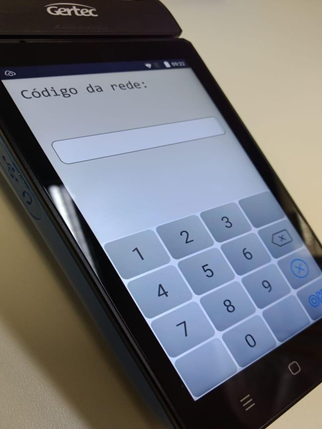
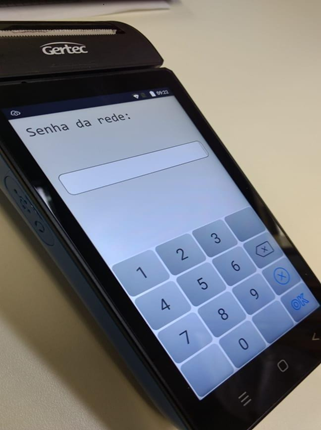
#### **Configure a rede:**
* **Código da rede:** `0229`
* **Senha da rede:** `15336489`
{% endstep %}
{% step %}
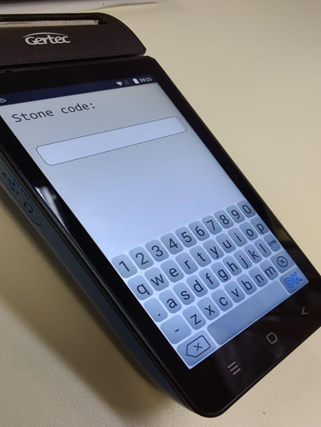
#### **Vinculação com a Stone (opcional):**
* **Stone Code:** Insira o código do cliente (consulte no portal Stone).
{% endstep %}
{% step %}
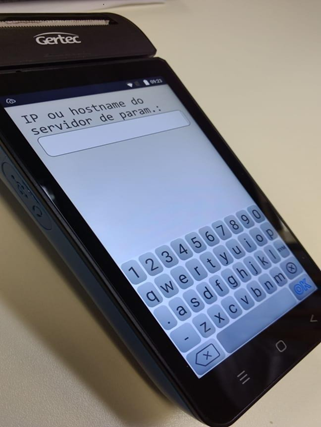
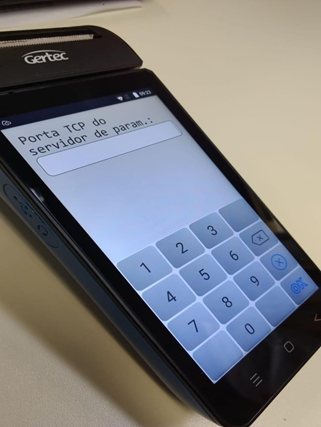
#### **Configurações avançadas:**
* **Wi-Fi:** Ative e insira `tms.stone.com.br` no campo de endereço.
* **Porta:** `443`
* Dessa forma o processo será concluído.
{% endstep %}
{% endstepper %}
***
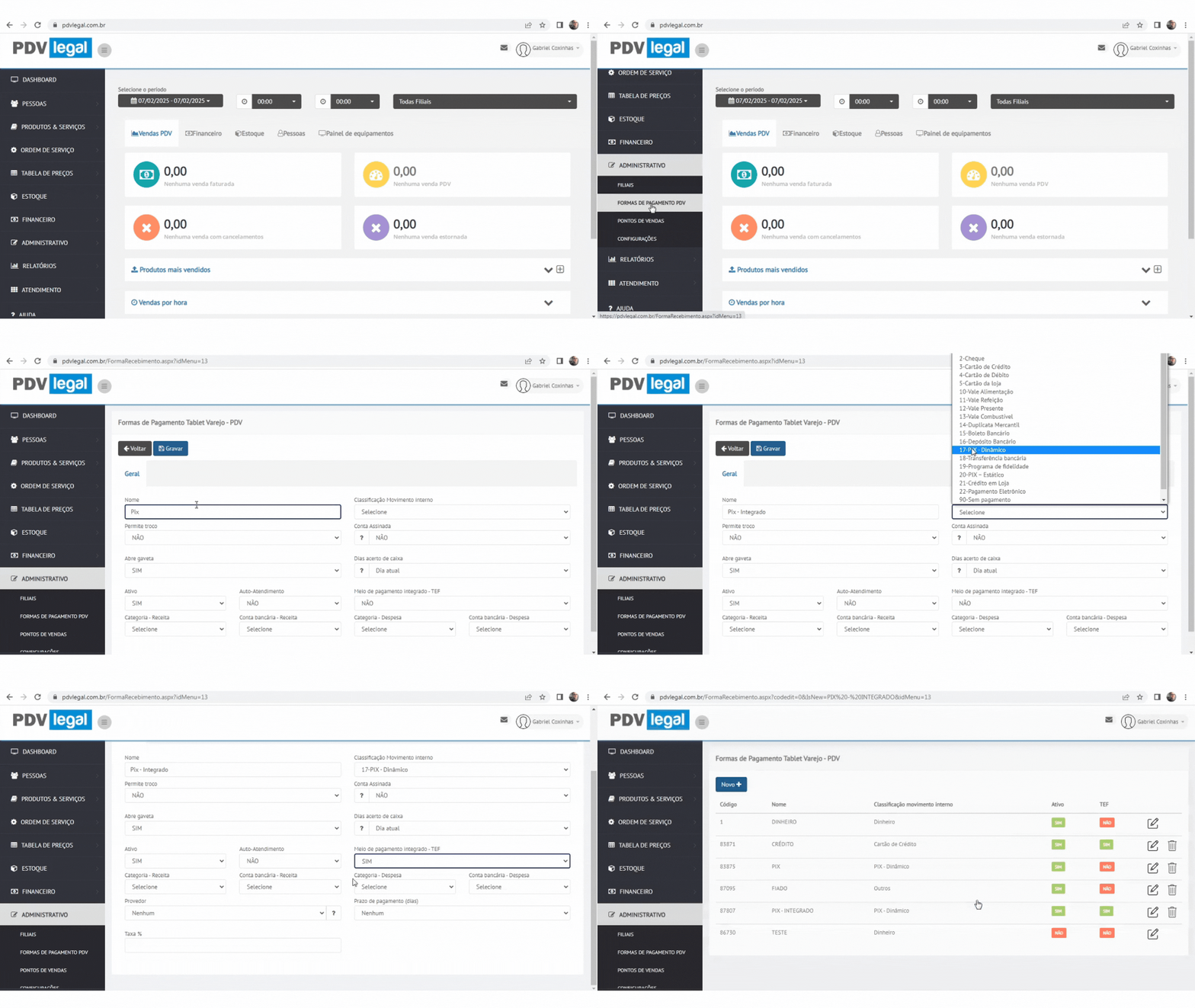
### Habilitar TEF no Cloud
{% stepper %}
{% step %}
#### **Ative o TEF para a forma de pagamento:**
* Acesse *Cloud > Administrativo > Formas de Pagamento > \[Forma desejada]*.
* Marque **"TEF = SIM"** > Clique em **Gravar**.
{% endstep %}
{% endstepper %}
***
### Problemas comuns
{% hint style="danger" %}
* **Problema:** QR Code inválido ou expirado.
* **Solução:** Solicite um novo QR Code ao suporte da plataforma.
* **Problema:** SDK Ger7 não funciona.
* **Solução:** Verifique se as credenciais da rede (`0229` e `15336489`) estão corretas.
* **Problema:** Pagamento com cartão falha.
* **Solução:** Confira se o TEF está ativado no Cloud e se o SDK Ger7 foi configurado.
{% endhint %}
***
### Validação
{% hint style="success" %}
* **Teste o TEF:** Realize uma venda teste com cartão para validar a integração.
* **Atualize o QR Code:** QR Codes têm validade – renove-os conforme necessário.
* **Suporte Gertec:** Contate a Gertec para problemas específicos do M-SITEF.
{% endhint %}
---
# Agent Instructions
This documentation is published with GitBook. GitBook is the documentation platform designed so that both humans and AI agents can read, navigate, and reason over technical content effectively. Learn more at gitbook.com.
## Querying This Documentation
If you need additional information that is not directly available in this page, you can query the documentation dynamically by asking a question.
Perform an HTTP GET request on the current page URL with the `ask` query parameter, and the optional `goal` query parameter:
```
GET https://ajuda.pdvlegal.com.br/pdv/instalacao-do-pdv-legal/instalacao-do-pdv-legal-em-terminais-com-m-sitef.md?ask=&goal=
```
`ask` is the immediate question: it should be specific, self-contained, and written in natural language.
`goal` is optional and describes the broader end goal you are ultimately trying to accomplish on behalf of the user. GitBook uses it to tailor the answer towards what is most useful for that goal.
The response will contain a direct answer to the question and relevant excerpts and sources from the documentation.
Use this mechanism when the answer is not explicitly present in the current page, you need clarification or additional context, or you want to retrieve related documentation sections.