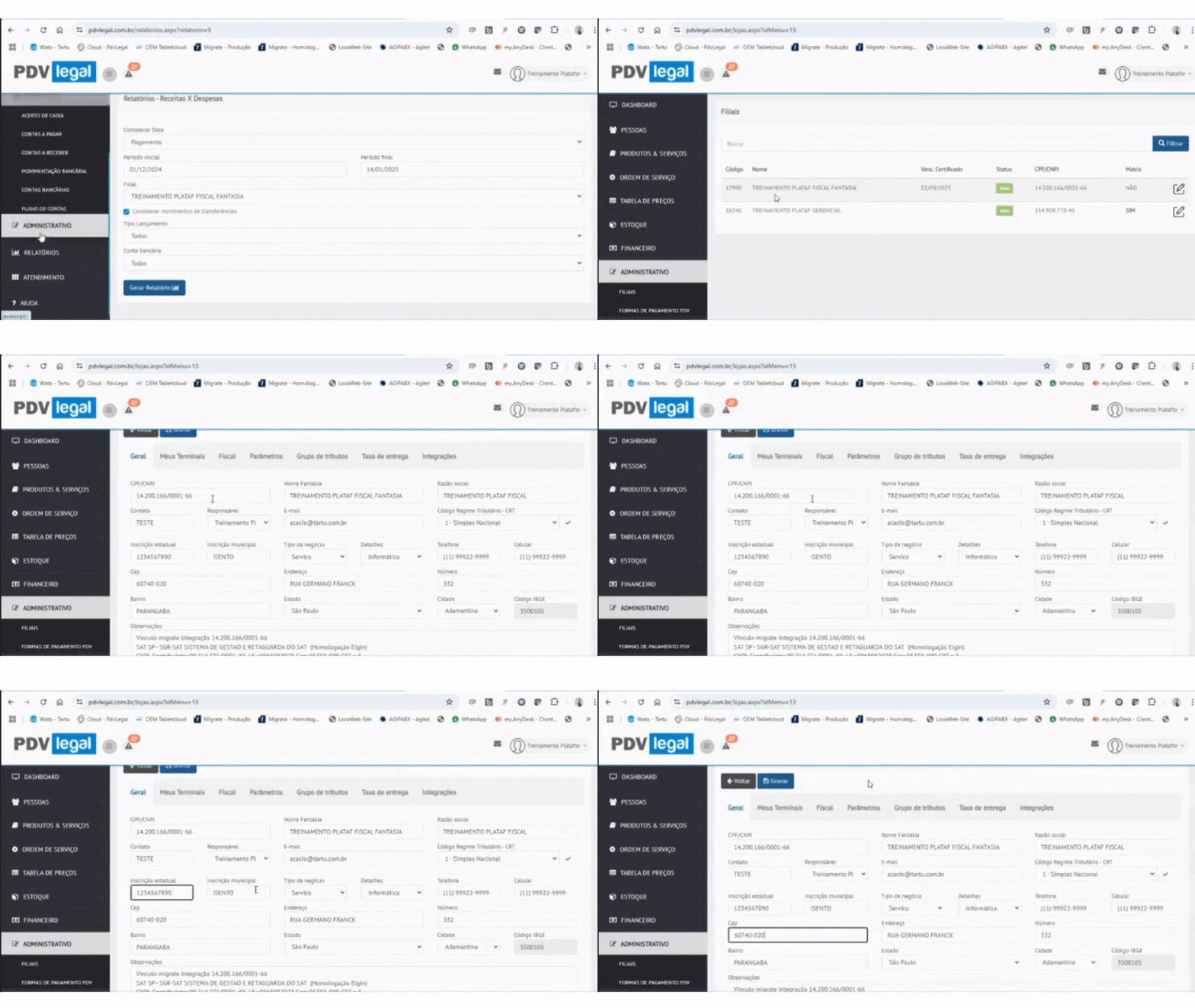
# Como Cadastrar filiais?
1. Acesse o menu: **Administrativo > Filiais**
2. Clique em "**Editar**"
#### Preencha as informações:
* CNPJ
* Nome Fantasia
* Razão Social
* Email
* Regime Tributário (CRT)
* Inscrição Estadual
* Inscrição Municipal (só precisará preencher, caso for emitir NFS-e)
* Tipo de Negócio
* Dados de Contato
* Endereço completo
{% hint style="warning" %}
O preenchimento completo é obrigatório para licenciamento fiscal e emissão de cupom fiscal.
{% endhint %}
Agora que você já cadastrou uma filial, você poderá iniciar a [**Configuração dos Terminais**](https://ajuda.pdvlegal.com.br/retaguarda/administrativo/como-configurar-terminais).
---
# Agent Instructions: Querying This Documentation
If you need additional information that is not directly available in this page, you can query the documentation dynamically by asking a question.
Perform an HTTP GET request on the current page URL with the `ask` query parameter:
```
GET https://ajuda.pdvlegal.com.br/retaguarda/administrativo/como-cadastrar-filiais.md?ask=
```
The question should be specific, self-contained, and written in natural language.
The response will contain a direct answer to the question and relevant excerpts and sources from the documentation.
Use this mechanism when the answer is not explicitly present in the current page, you need clarification or additional context, or you want to retrieve related documentation sections.