> For the complete documentation index, see [llms.txt](https://ajuda.pdvlegal.com.br/llms.txt). Markdown versions of documentation pages are available by appending `.md` to page URLs; this page is available as [Markdown](https://ajuda.pdvlegal.com.br/retaguarda/dashboard/estoque.md).
# Estoque
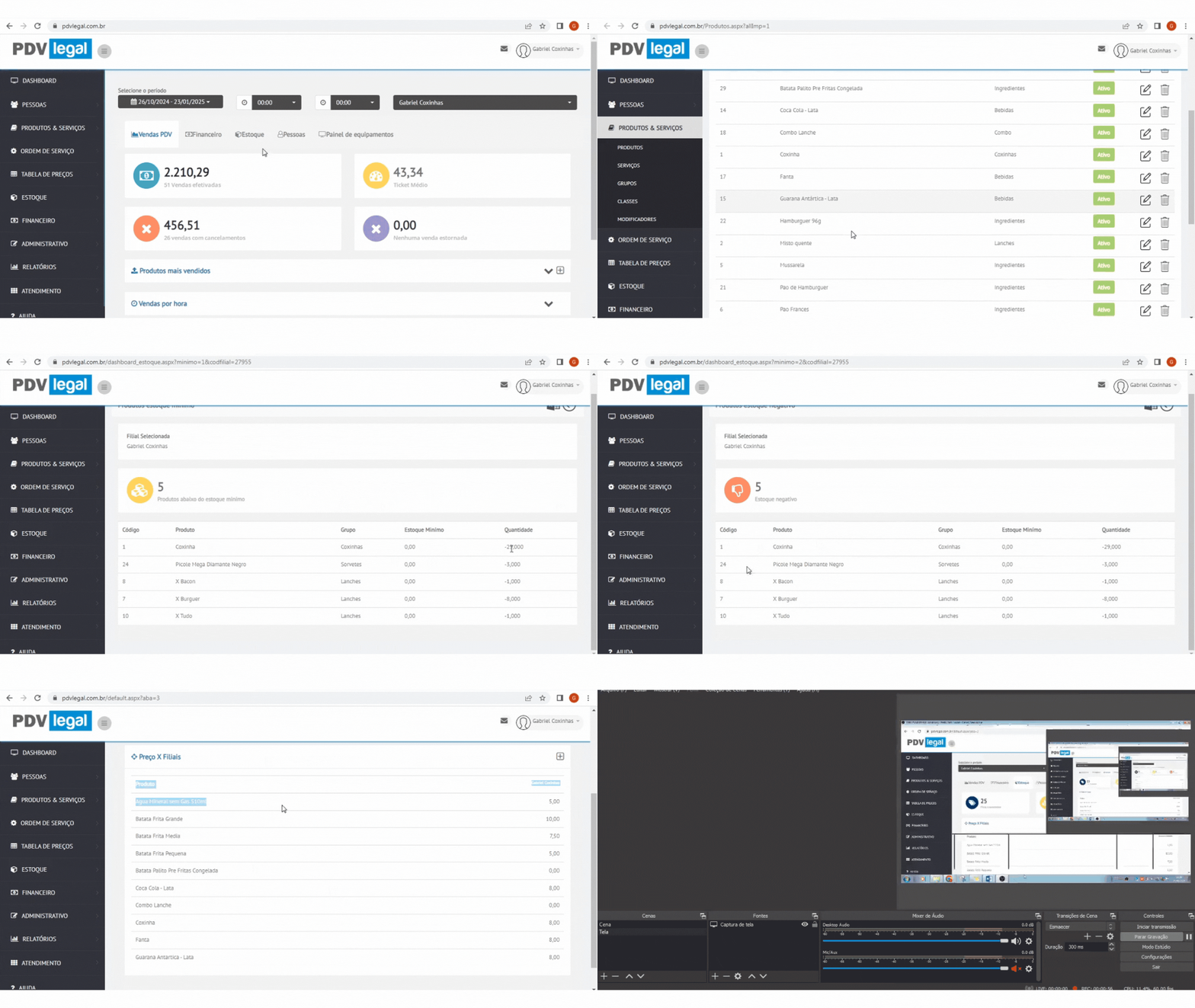
Use a visão **Estoque** do Dashboard para identificar produtos em atenção e consultar preços por filial.
### Indicadores exibidos
O painel mostra:
* **Produtos cadastrados**
* **Produtos abaixo do mínimo**
* **Produtos com estoque negativo**
* **Produtos próximos da validade ou vencidos**
Ao clicar em **Produtos cadastrados**, o sistema abre [**Produtos**](https://ajuda.pdvlegal.com.br/retaguarda/produtos.md).
Ao clicar nos indicadores de alerta, você visualiza a lista dos itens nessa condição.
### Produtos próximos da validade ou vencidos
Use esse indicador para acompanhar produtos com lote em atenção.
Essa visão ajuda a:
* localizar lojas com alertas de validade
* revisar o período consultado
* orientar a conferência física da equipe
O filtro de datas define quais lotes aparecem na lista.
O filtro de filial do Dashboard também afeta essa consulta.
{% hint style="warning" %}
O alerta indica que existe um lote em atenção na loja. Ele não mostra saldo exato por lote vendido.
{% endhint %}
### Consulta de preços por filial
Na área **Preços x Filiais**, você compara os produtos com seus respectivos preços em cada unidade.
Essa visão ajuda a validar:
* divergência de preço entre filiais
* produtos com cadastro incompleto
* necessidade de ajuste comercial
---
# Agent Instructions
This documentation is published with GitBook. GitBook is the documentation platform designed so that both humans and AI agents can read, navigate, and reason over technical content effectively. Learn more at gitbook.com.
## Querying This Documentation
If you need additional information that is not directly available in this page, you can query the documentation by asking a question.
Perform an HTTP GET request on the following URL with the `ask` and `goal` query parameters:
```
GET https://ajuda.pdvlegal.com.br/retaguarda/dashboard/estoque.md?ask=&goal=
```
`ask` is the immediate question: it should be specific, self-contained, and written in natural language.
`goal` is what the user is ultimately trying to achieve, the reason they need the answer. Sharing it helps GitBook give you a better, more relevant answer. A goal is most helpful when it describes the outcome the user wants rather than restating the question. For example, with `ask=how do I create an API token`, a goal like `automate deployments from our CI pipeline` lets GitBook tailor the answer to that use case.
The response will contain a direct answer to the question and relevant excerpts and sources from the documentation.
Use this mechanism when the answer is not explicitly present in the current page, you need clarification or additional context, or you want to retrieve related documentation sections.